An invoice lands on taxservice.am. You find out on your phone.
A read-only mobile view of your taxservice.am invoices: alerts, statuses and stats for every company you manage, plus your own project and material tags.
- boltAlerts without logging in
- domainEvery company, one app
- lockRead-only by design
Sign in with your taxservice.am login — no new account.
Recent
See allHashiv and taxservice.am
taxservice.am is the State Revenue Committee's e-invoicing portal. Hashiv is an independent app that reads your invoices from it and shows them on your phone. It is not the official site and is not affiliated with the State Revenue Committee.
What Hashiv reads from taxservice.am
- checkInvoices you've issued and received, with their status and totals
- checkEach invoice's details and its list of goods or services
- checkYour partners' registered name, address and VAT number
What stays on taxservice.am
- closeIssuing, signing, approving and cancelling invoices
- closeReports, and anything else that changes your data
Looking for the official portal? Go to taxservice.amopen_in_new
How it works
- download
1. Install
No new account, no new password.
- key
2. Sign in with taxservice.am
Your usual login. It goes to taxservice.am, never to us.
- description
3. Follow your invoices
Statuses, stats and your own tags, for every company.
A mobile front door to your invoices
Not a replacement for taxservice.am — a faster way to read it.
- notifications_active
Invoice alerts
Sent or received — you hear about it without opening taxservice.am.
- domain
Several companies
Every company you manage, in one app.
- task_alt
Payment status
Mark invoices paid — taxservice.am doesn't track it.
- verified
Approval status
Straight from taxservice.am, always current.
- bar_chart
Spending stats
Issued and received totals over time.
- folder
Project tags
Group invoices by project, for reports taxservice.am can't make.
- inventory_2
Material & service tags
Tag what each invoice is actually for.
- notifications
Payment reminders
A reminder before a payment falls due.
- content_copy
Copy to pay
Requisites and amount into your banking app in one tap.
The same invoice, two ways to read it
On taxservice.am it's an A4 form built for printing. In Hashiv it's one screen.
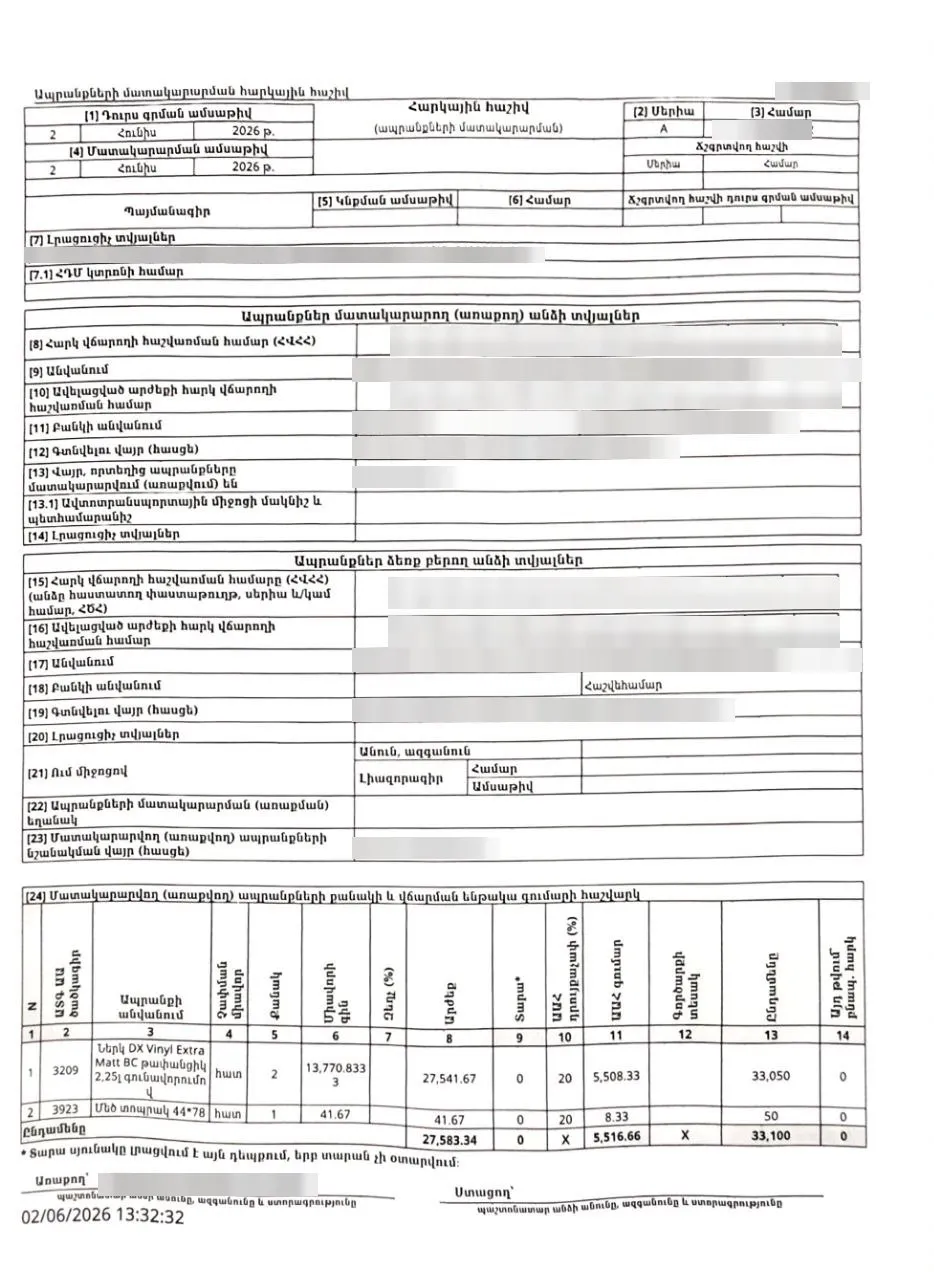 the figure you came for
No status, no payment state, no tags — nothing to act on from a phone.
One inbox for every company
Received, signed or due — each alert says which company it's for.
What Hashiv doesn't do
Read-only by design: nothing of yours to lose, nothing to break by accident.
- database_off
We don't store your data
Invoices are read live from taxservice.am. We have no servers.
- password
We never see your password
Your login goes to taxservice.am only — never to us.
- edit_off
We never sign or submit
Every action that counts stays on taxservice.am.
We're testing with a small group first
Get early access and shape what Hashiv becomes.
Get Hashiv on your phone
Beta builds go straight to testers.
No public download yet — join the beta and every build arrives through Firebase.